Integrations
Shopify Flow
Start any Flow workflow from wishlist activity. Tag customers, alert your team, send through any email app.
XB Wishlist sends wishlist events to Shopify Flow, so you can build any automation on them: tag a customer who saved five items, post to Slack when a top product is wishlisted, or send emails through an app that isn't built into XB Wishlist.
Flow triggers are part of Email marketing, so they need the Basic plan. Abandoned wishlist needs Pro.
Set it up
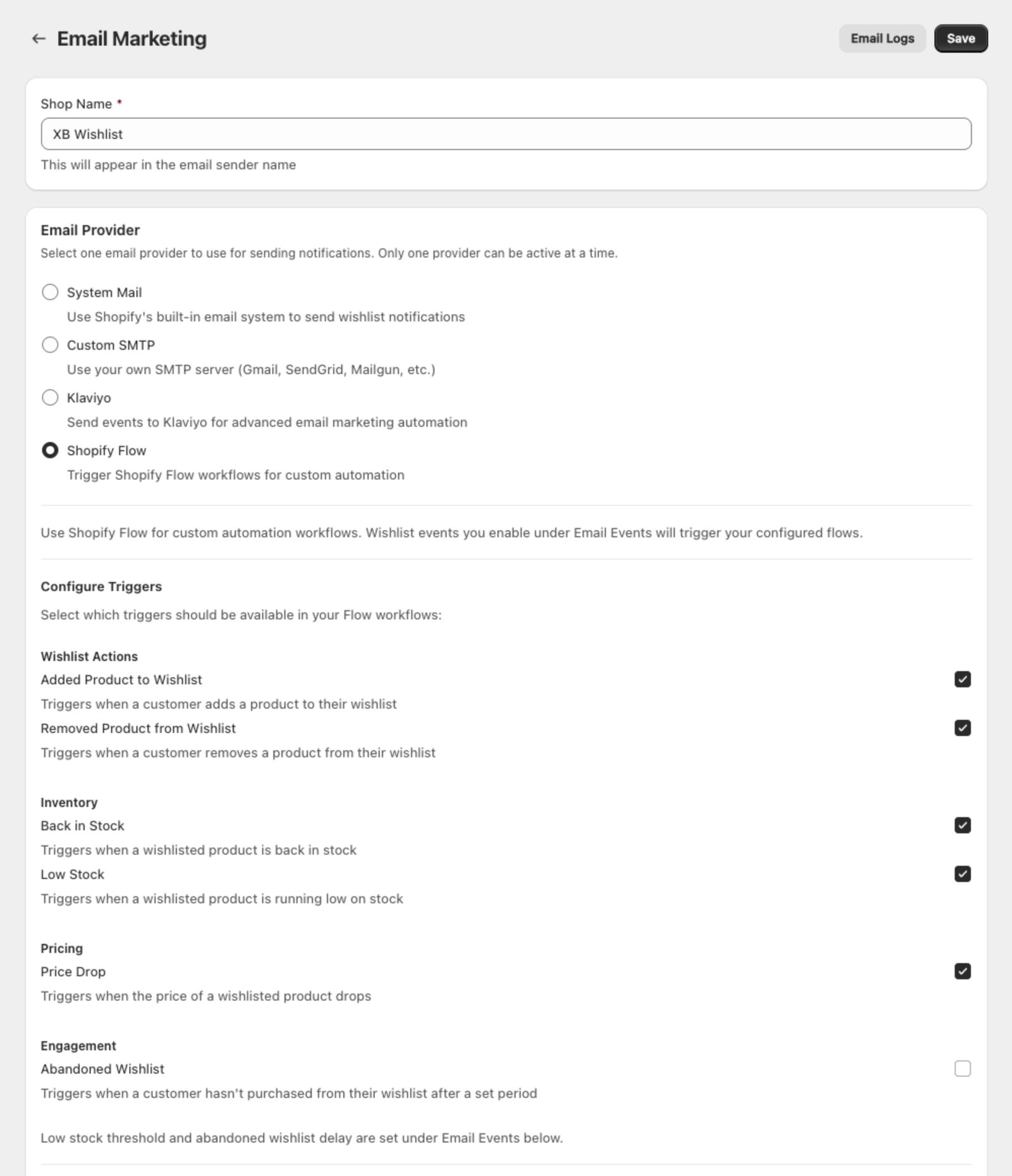
- Open Features → Email Marketing.
- Under Email Provider, choose Shopify Flow.
- Under Configure Triggers, tick the triggers you want to use.
- Under Email Events, enable the same events and set their conditions, such as the low stock threshold or the reminder delay.
- Click Save, then Open Shopify Flow.
An event reaches Flow only when it's ticked in Configure Triggers and enabled in Email Events.
Triggers
Every trigger carries the customer, the product and the wishlist ID, plus:
| Trigger | Extra data | Fires when |
|---|---|---|
| Added product to wishlist | Variant, time | A signed-in customer saves a product |
| Removed product from wishlist | Variant, time | A signed-in customer removes a product |
| Back in stock | Variant, inventory quantity | A saved variant comes back in stock |
| Low stock | Variant, inventory quantity, threshold | A saved variant drops below your threshold |
| Price drop | Variant, old price, new price, drop %, savings | A saved variant's price drops by your percentage |
| Abandoned wishlist | Days since added, item count, total value, currency | An item has sat in the wishlist for your delay |
The conditions are the ones you set in Email Events. For example, Low stock fires at the threshold you chose there.
Action
Check product availability in wishlist checks whether a product is still in a customer's wishlist. Use it as a condition, for example to skip a reminder if the customer already removed the item. It needs the customer, the product and the wishlist ID, all of which every trigger provides.
Templates
In Flow, search the templates for XB Wishlist to start from a ready-made workflow:
- Back in Stock Notification
- Low Stock Alert
- Price Drop Notification
- Abandoned Wishlist Reminder
- Notify customers when items are added to their wishlist
- Notify customers after removing wishlist products
Some templates send the event to Klaviyo. Connect Klaviyo in Flow first, or swap that step for your own action.
Still stuck? Email [email protected] with your store’s .myshopify.com address and we’ll set it up with you.