Wishlist page
Wishlist page design
Match the wishlist page to your brand. Colors, buttons and card styles.
The wishlist page uses a clean, neutral style that works with most themes. To match your brand, open Features → Wishlist Page → Customize → Style settings.
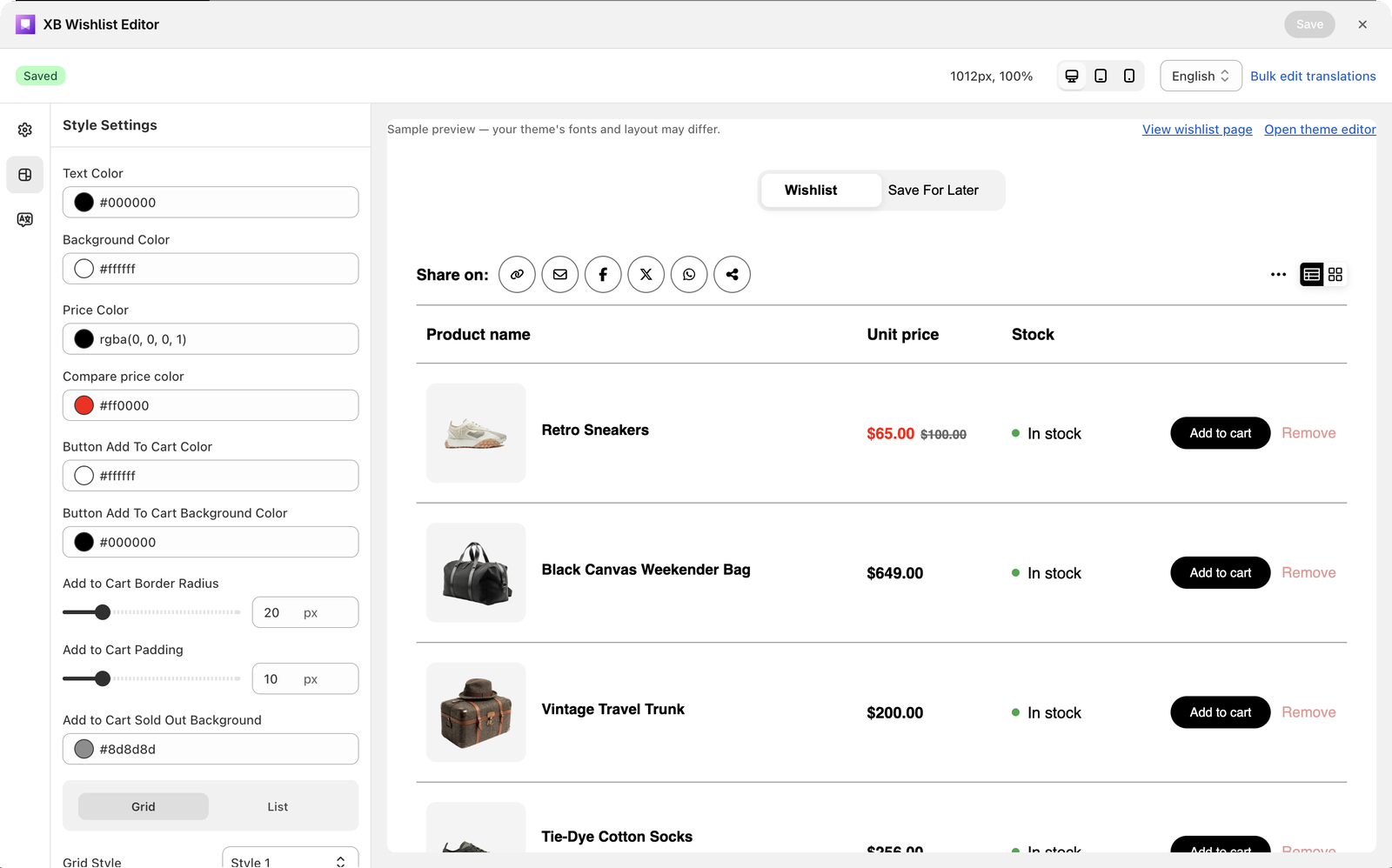
Colors
| Setting | Default |
|---|---|
| Text Color | #000000 |
| Background Color | #ffffff |
| Price Color | #000000 |
| Compare price color: the crossed-out price | #d10000 |
Add to cart button
| Setting | Default |
|---|---|
| Button Add To Cart Color: the text | #ffffff |
| Button Add To Cart Background Color | #000000 |
| Add to Cart Border Radius | 20 |
| Add to Cart Padding | 10 |
| Add to Cart Sold Out Background: when the item is sold out | #6b6b6b |
Grid and List
Two tabs at the bottom style each layout separately.
- Grid: Grid Style (Style 1, 2 or 3), the Product Card Background Color (solid or gradient), and the remove button's color, background, border, radius and padding.
- List: the remove button's color, background, border, radius and padding.
Still stuck? Email [email protected] with your store’s .myshopify.com address and we’ll set it up with you.